Configuration (CLI)
Overview
The Command Line Interface (CLI) is the secondary method of configuring the NOVALINK mLRS radio system.
In this mode, the Transmitter is connected to a computer and a serial terminal (such as PuTTY) is used to access the CLI.
From here, the user is able to enter commands to bind, configure settings, and also view live radio statistics.
In general, the CLI offers more advanced features not present in the LUA script.
The following guide is for Windows-based computers, but similar similar steps may be followed for Linux and Mac.
Setup
Download PuTTY from HERE.
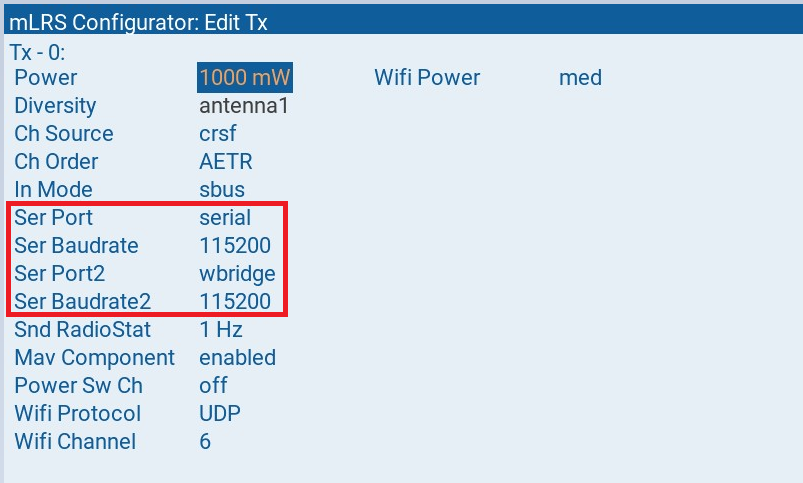
Configure the Transmitter module as follows:
Ser Port = serial
Ser Baudrate = 115200
Ser Port2 = wbridge
Ser Baudrate2 = 115200
NOTE: Ser Port2 can be anything except for serial.
Usage
With the Transmitter module powered on, plug the USB cable into the computer.
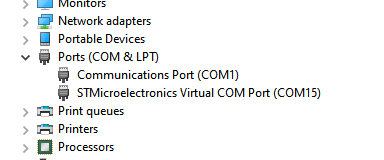
Search for a COM serial port that corresponds to STMicroelectronics Virtual COM Port in Device Manager. In this example, it is COM15.
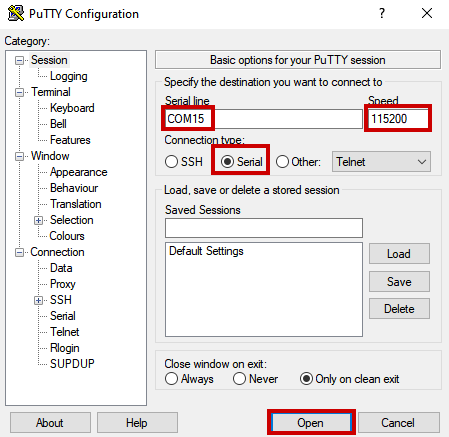
Open up PuTTY and set the correct COM serial port and baud rate (8 bits, no parity, 1 stop bit (8N1)). Click Open when ready.
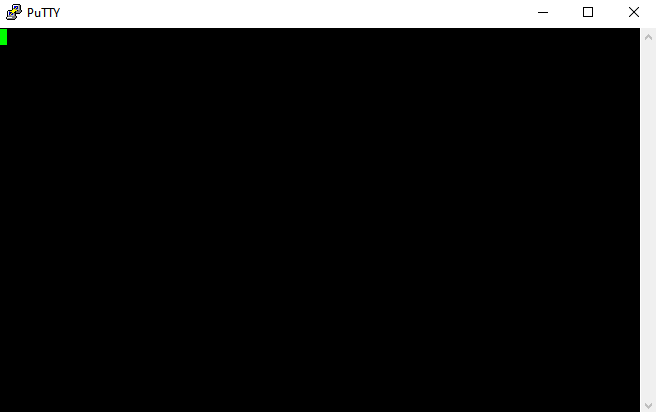
There should be a blank terminal. This is nominal behavior.
To test, type stats and press ;. There should be radio statistics printing out. Press any key to stop.
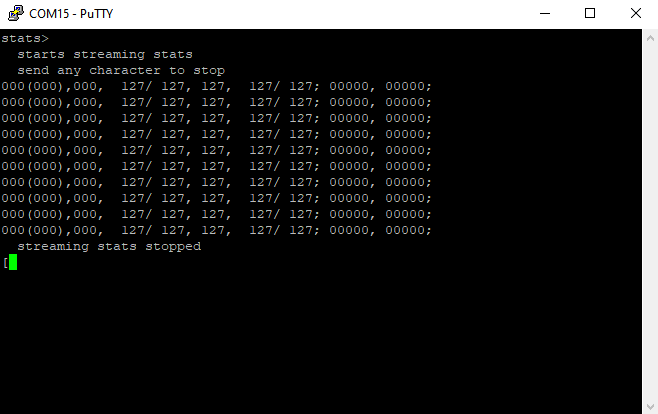
The terminating character for any CLI command can be any one of the following:
\r(Carriage return, CR)\n(Line feed, LF),;
In general, it’s best to use ; to terminate lines.
NOTE: There is a ~2 second timeout if no character is typed, so remember to type the CLI command quickly otherwise it will auto-send an incomplete or wrong command.
Command List
The full list of CLI commands is below:
| Command | Description |
|---|---|
h; or help; or ?; | List available commands |
v; | Prints the device name and firmware version for the Tx module and, if connected, also the receiver. |
pl; | Lists all parameters and their settings. Comment: The parameters of the receiver are listed only if a receiver is connected, else a warning message is printed. |
pl c; | Lists the shared parameters, i.e., those parameters which are common for both the Tx module and the receiver, and their settings. Comment: If a receiver is not connected, a warning message is printed. |
pl tx; | Lists the parameters of the Tx module and their settings. |
pl rx; | Lists the parameters of the receiver and their settings. Comment: These parameters are listed only if a receiver is connected, else a warning message is printed. |
p name; or p name = ?; | Prints the setting of the parameter with name ‘name’. Comment: Blanks in the parameter name should be replaced by ‘_’. E.g., the setting for the parameter “Tx Power” would be obtained with the CLI command p tx_power;. |
p name = value; | Changes the setting of the parameter with name ‘name’ to the specified value. Comment: Blanks in the parameter name should be replaced by ‘_’. E.g., the setting for the parameter “Tx Power” would be changed to zero with the CLI command p tx_power = 0;. |
pstore; | Stores the new parameter settings into the Tx module and, if connected, also into the receiver. |
setconfigid; | Set the Configuration ID of the Tx module. See HERE for more info. |
bind; | Starts the binding. Comment: Only the Tx module is set into binding mode. The receiver must be put into binding mode by pressing its bind button. |
reload; | Reloads the current parameter values from the Tx module and, if connected, the receiver. |
stats; | Starts streaming statistics. Terminate by sending any character. |
listfreqs; | Lists the frequencies used in the FHSS scheme. |
systemboot; | Invokes the system bootloader (Compatible with NOVALINK) |
esppt; | Enters the serial passthrough mode (communication between CLI port and the Serial port). |
espboot; | Reboots a ESP chip and enters the serial passthrough mode. For flashing the ESP chip through the CLI port. |
esp get pswd; | Get the password used for the TCP, UDP, and UDPSTA protocols. An empty password means password-less operation. |
esp set pswd = str; | Set the password used for the TCP, UDP, and UDPSTA protocols. If no str value is given, i.e., “esp set pswd = ;” is entered, then an emtpy password is set. |
esp get netssid; | Get the SSID used for the UDPSTA protocol. |
esp set netssid = str; | Set the SSID used for the UDPSTA protocol. If no str value is given, i.e., “esp set netssid = ;” is entered, then the SSID is reset to the default value. |
For stats;, the format is as follows:
| Tx Link Quality (LQ) | Tx Valid Frames LQ | Rx LQ | Tx RSSI2 | Rx RSSI | Tx SNR1 | Tx SNR2 | Tx Bytes/Sec Transmitted | Tx Bytes/Sec Received |
For more details, please visit the mLRS Official Documentation.