SiK Telemetry Mode
NOVALINK can be used as a drop-in replacement for the popular SiK Telemetry Radio.
To setup, simply use the Transmitter and Receiver MAVLink protocol ONLY and disregard CRSF RC channels.
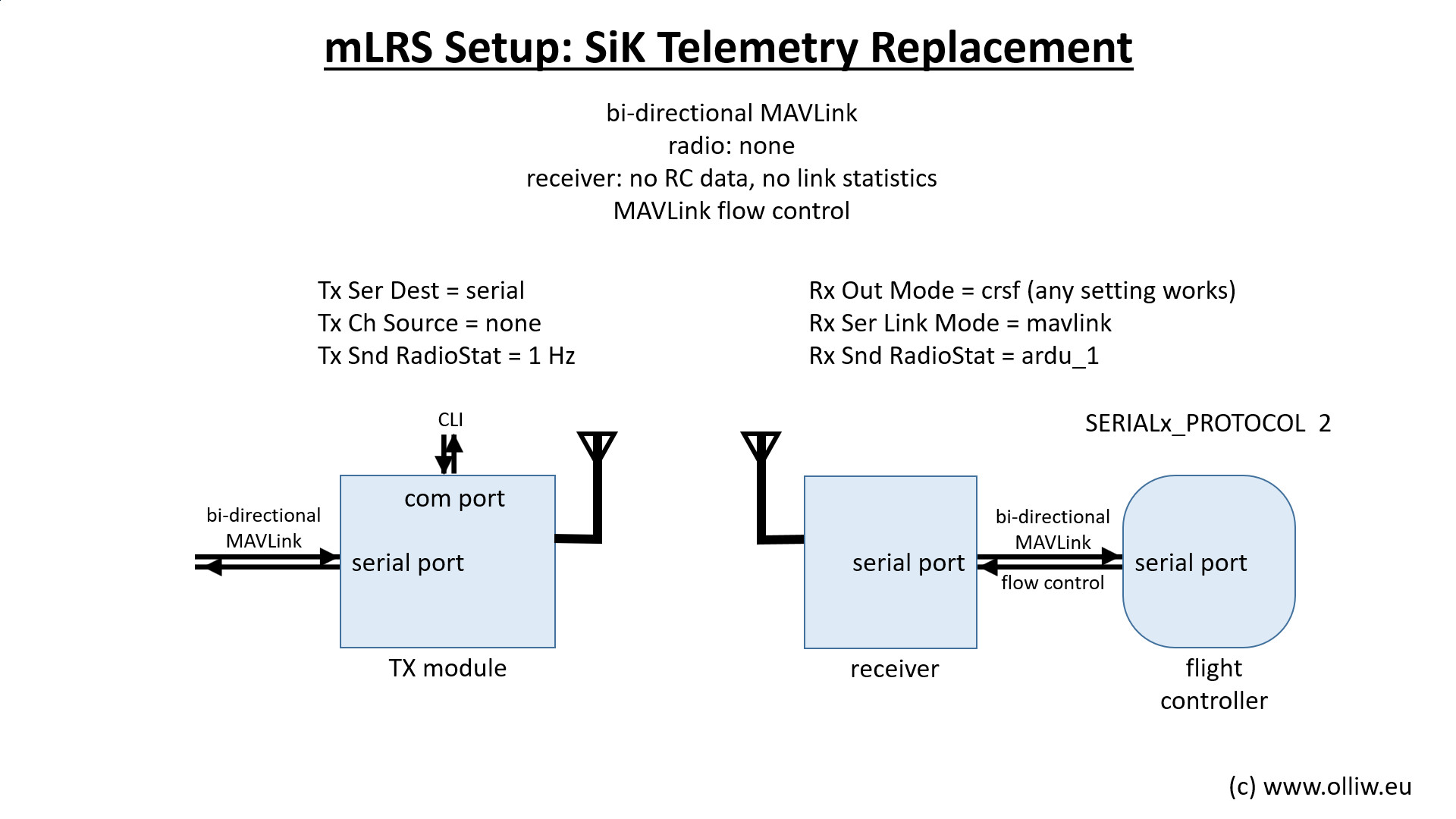
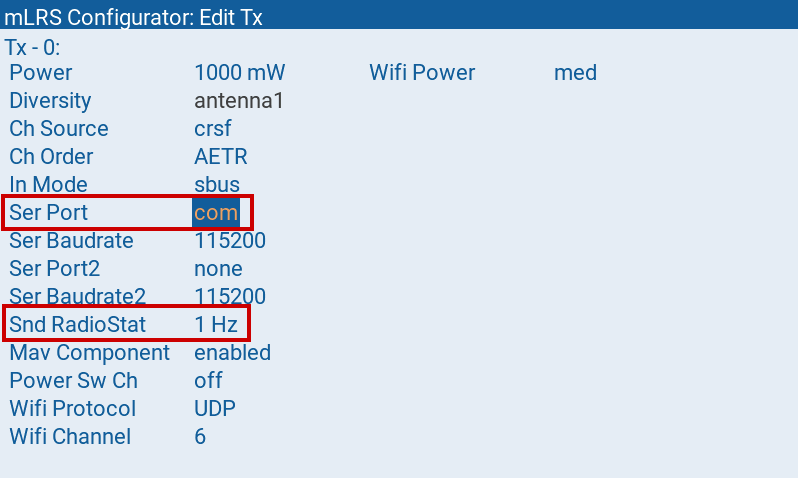
Ensure Transmitter Ser Port = com and Snd RadioStat = 1 Hz
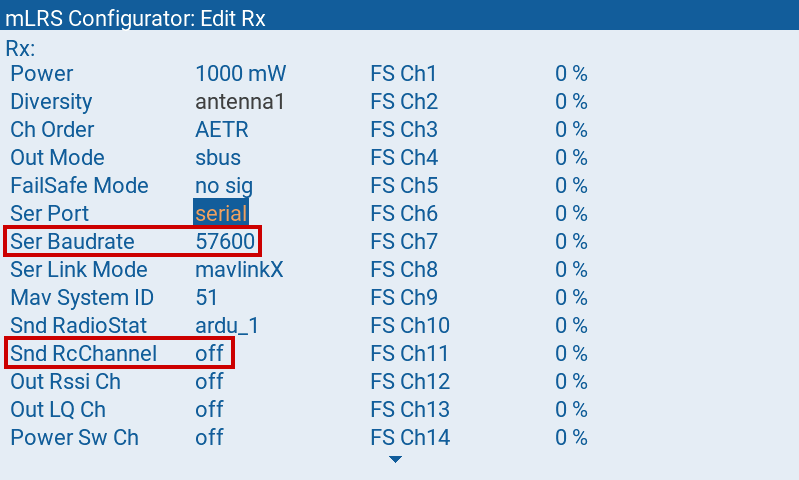
Ensure Receiver Ser Baudrate = your flight controller's baudrate setting and Snd RcChannel = off
Simply connect the TX1 and RX1 pads of the Receiver to the MAVLink serial prot on the flight controller.
Please ensure SERIALx_PROTOCOL = 2 (Do not use MAVLink 1) and SERIALx_BAUD to match the receiver’s baudrate setting as configured above.
Then, connect the Transmitter via the USB cable to the computer to be used as the ground station telemetry radio.
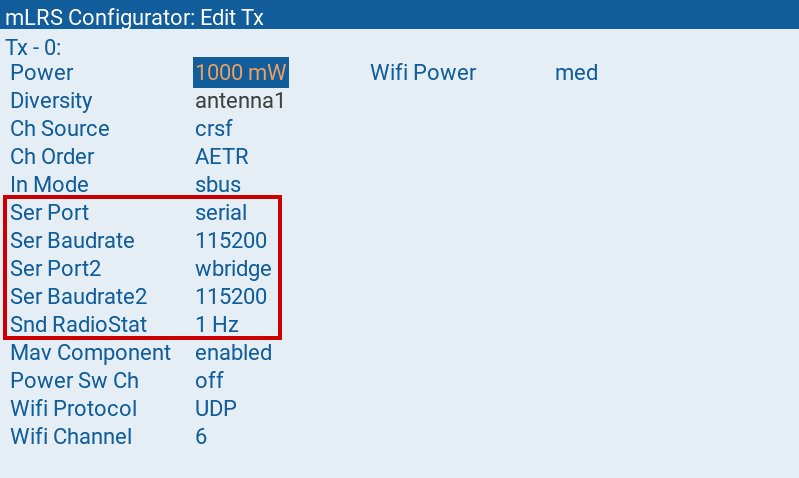
Alternatively, if the wireless bridge is used for MAVLink instead of the USB cable, configure the Transmitter as follows:
For more details, please visit the mLRS Official Documentation.