Configuration (LUA)
Introduction
The mLRS LUA script is the primary way of configuring the mLRS settings for both transmitter and receiver.
The script runs on a radio controller such as the TX16S (EdgeTX) and communicates with the Transmitter module to change settings.
If the Receiver is powered on and connected/bound, the transmitter will also be able to change the Receiver settings. These will update wirelessly.
CRITICAL: If you are using an H7-based radio such as the TX16S MK3, please update your EdgeTX version to >=2.12.4.
Instructions for this may be found here.
Failure to be on verion 2.12.4 or later will result in the mLRS LUA script to fail.
Download the latest mLRS LUA script from HERE.
For the TX16S MK3, this will be mLRS.lua
Place the mLRS.lua in the /SCRIPTS/TOOLS folder of your radio’s filesystem
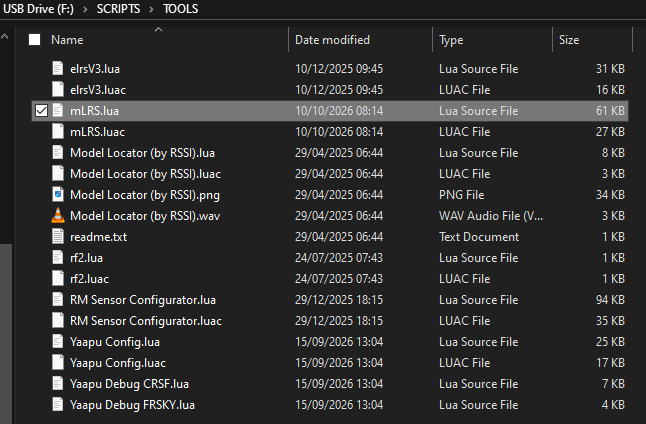
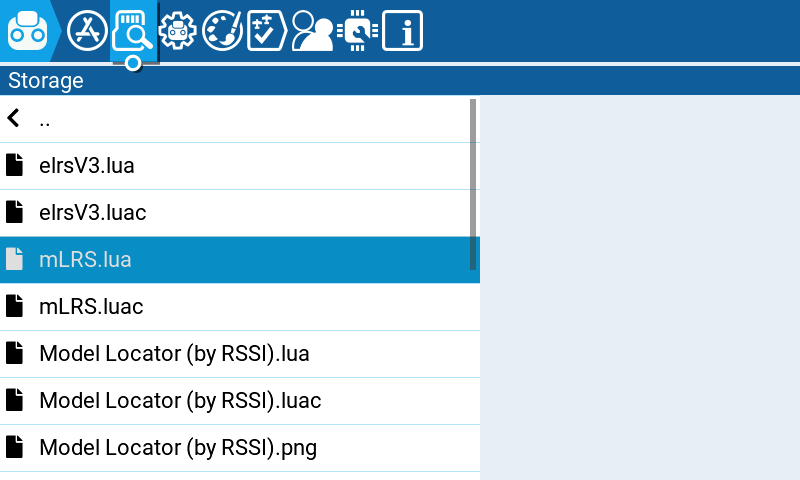
Connect the Transmitter module to the radio controller and open up the mLRS Configurator script.
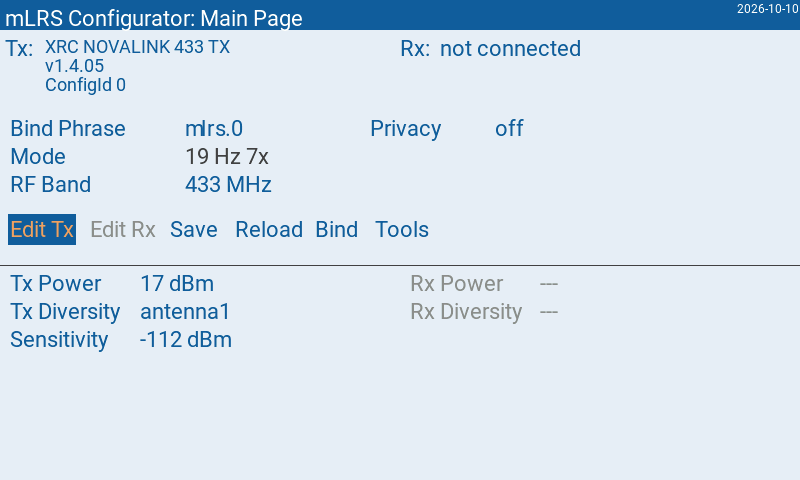
Tx (and Rx if connected) parameters may now be configured.
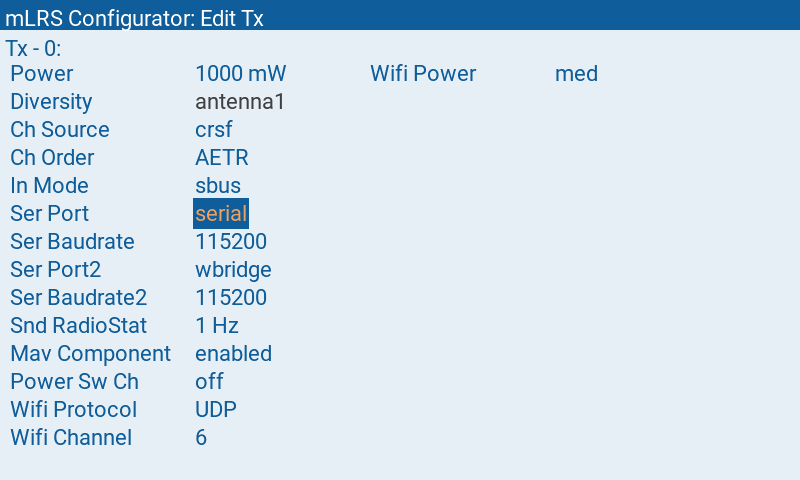
Parameters
Common Paramters are identical to both Transmitter and Receiver. These must be the same for the two devices to communicate with each other. When a new receiver is bound to the transmitter, the receiver gets the common parameters that the transmitter currently has.
Common Parameters
| Parameter | Description |
|---|---|
Bind Phrase | String of 6 characters. The characters can be a-z, 0-9, _, #, -, .. For 2.4 GHz systems the last (6th) character of the bind phrase determines excluded frequencies. The exclude setting can be \e-, \e1, \e6, \e11, or \e13. For details see FHSS_SHAPING. |
Mode | Operation mode. NOVALINK 433MHz hardware is restricted to 19 Hz 7x |
RF Band | Frequency Band. NOVALINK 433MHz hardware restricted to 433 MHz and 70 cm HAM |
RF Ortho | Available for 70 cm HAM frequency band. For details see FHSS_SHAPING. |
Privacy | Enable encryption and set Privacy level. Compatible with NOVLAINK hardware. |
Tx Parameters
| Parameter | Description |
|---|---|
Tx Power | Transmission power in Watts. Always use the minimum RF power needed to fly to improve thermal performance, reduce overall RF noise, and ensure longevity of your NOVALINK system. |
Tx Diversity | Diversity mode. Can be: enabled, antenna1, antenna2, r:en, t:ant1, r:en, t:ant2. The last two options enable receive diversity while allowing the transmit path to be restricted to a specific antenna. |
Tx Ch Source | Selects the source from which the RC data should be read. Can be: none, crsf, in, mbridge. |
Tx Ch Order | Channel order of the RC data provided to the Tx module. Can be: AETR, TAER, ETAR. |
Tx In Mode | Selects the protocol of the RC data on the IN port. Effective only when Tx Ch Source = in. Can be: sbus, sbus inv. |
Tx Ser Port | Selects the destination/source of the serial data stream. Can be: serial, wbridge, serial2, com, mbridge. |
Tx Ser Baudrate | Baudrate of the serial data stream. Effective only if Tx Ser Port = serial, serial2, or com. Can be: 57600, 115200, 230400. The default is 115200 bps, which is appropriate for almost all cases. Anything below 57600 bps is not recommended. |
Tx Ser Port2 | Selects the destination/source of the second serial data stream. Can be: none, serial, wbridge, serial2. |
Tx Ser Baudrate2 | Baudrate of the second serial data stream. Can be: 57600, 115200, 230400. The default is 115200 bps, which is appropriate for almost all cases. Anything below 57600 bps is not recommended. |
Tx Snd RadioStat | Determines if a RADIO_STATUS MAVLink message is emitted by the Tx module. Effective only when in the receiver Rx Ser Link Mode = mavlink or mavlinkX is set. Can be: off, 1 Hz. |
Tx Mav Component | Enables parameter configuration via the MAVLink parameter protocol. Can be: off, enabled. |
Tx Power Sw Ch | The channel used to control the RF output power of the Tx module. The power levels available on the device are linearly interpolated over the RC input range of −100% to +100%, where +100% corresponds to the power level defined by the Tx Power parameter and −100% corresponds to the minimum available power level. |
Tx Buzzer | Enables the buzzer, and selects what data it reflects. Can be: off, LP, rxLQ. LP stands for Lost Packet, and here the buzzer emits a short beep for any lost packet. rxLQ stands for receiver Link Quality, and here the buzzer beeps every second, with the beep length reflecting LQ (longer beep equals lower LQ). |
Tx Wifi Protocol | Protocol used by the wireless bridge. Can be: TCP, UDP, BT, UDP STA, BLE, ESPNOW. |
Tx Wifi Channel | Wifi channel used by the wireless bridge. Can be: 1, 6, 11, 13. |
Tx Wifi Power | RF power used by the wireless bridge. Can be: low, med, max. |
Rx Parameters
| Parameter | Description |
|---|---|
Rx Power | Transmission power in Watts. Always use the minimum RF power needed to fly to improve thermal performance, reduce overall RF noise, and ensure longevity of your NOVALINK system. |
Rx Diversity | Diversity mode. Can be: enabled, antenna1, antenna2, r:en, t:ant1, r:en, t:ant2. The last two options enable receive diversity while allowing the transmit path to be restricted to a specific antenna. |
Rx Ch Order | Channel order of the RC data emitted by the receiver. Can be: AETR, TAER, ETAR. |
Rx Out Mode | Selects the protocol of the RC data emitted on the OUT port. Can be: sbus, crsf, sbus inv. |
Rx FailSafe Mode | Determines the behavior upon a failsafe. Can be: no sig, low thr, by cnf, low thr cnt, ch1ch4 cnt. |
Rx Ser Port | Selects the destination/source of the serial data stream. Can be: serial, can, canfd. |
Rx Ser Baudrate | Baudrate of the serial data stream. Effective only for Rx Ser Port = serial. Can be: 57600, 115200, 230400. The default is 57600 bps. Anything below 57600 bps is not recommended. |
Rx Ser Link Mode | Selects how the serial data stream is processed. Can be: transp., mavlink, mavlinkX, mspX. This setting is also applied to the Tx module. For MAVLinkX see HERE. For MspX see HERE. |
Rx Mav System ID | Determines the MAVLink system ID used by the mLRS system. Effective only when Rx Ser Link Mode = mavlink or mavlinkX. This setting is also applied to the Tx module. Can be: 51, 52, 53, 54, 55. A system ID of 51 has become a defacto standard for telemetry links (it is e.g. used by SiK devices). |
Rx Snd RadioStat | Determines if a RADIO_STATUS MAVLink message is emitted by the receiver, and which flow control algorithm is used. Effective only when Rx Ser Link Mode = mavlink or mavlinkX. Can be: off, ardu_1, meth_b. |
Rx Snd RcChannel | Determines if either a RC_CHANNELS_OVERRIDE or a RADIO_RC_CHANNELS MAVLink message is emitted by the receiver. Effective only when Rx Ser Link Mode = mavlink or mavlinkX. Can be: off, rc override, rc channels. If using ArduPilot 4.6.0 and higher on a 2 MB flight controller, the rc channels setting is strongly recommended. Otherwise, rc override must be used. For details see the ArduPilot configuration page. |
Rx Out Rssi Ch | Determines if and on which channel the RSSI value is send out. Can be: off, 5 - 16. |
Rx Out LQ Ch | Determines if and on which channel the LQ value is send out. Can be: off, 5 - 16. |
Rx Power Sw Ch | The channel used to control the RF output power of the Tx module. The power levels available on the device are linearly interpolated over the RC input range of −100% to +100%, where +100% corresponds to the power level defined by the Tx Power parameter and −100% corresponds to the minimum available power level. |
Rx FS Ch1 - Rx FS Ch16 | Sets the RC channel values upon a failsafe. Effective only when Rx FailSafe Mode = by cnf. Can be a value between -120% and +120%. |
For more details, please visit the mLRS Official Documentation.